10.Multi-currency Ledgers
Keep books in a home currency while posting and reporting in many currencies.
1. What you need
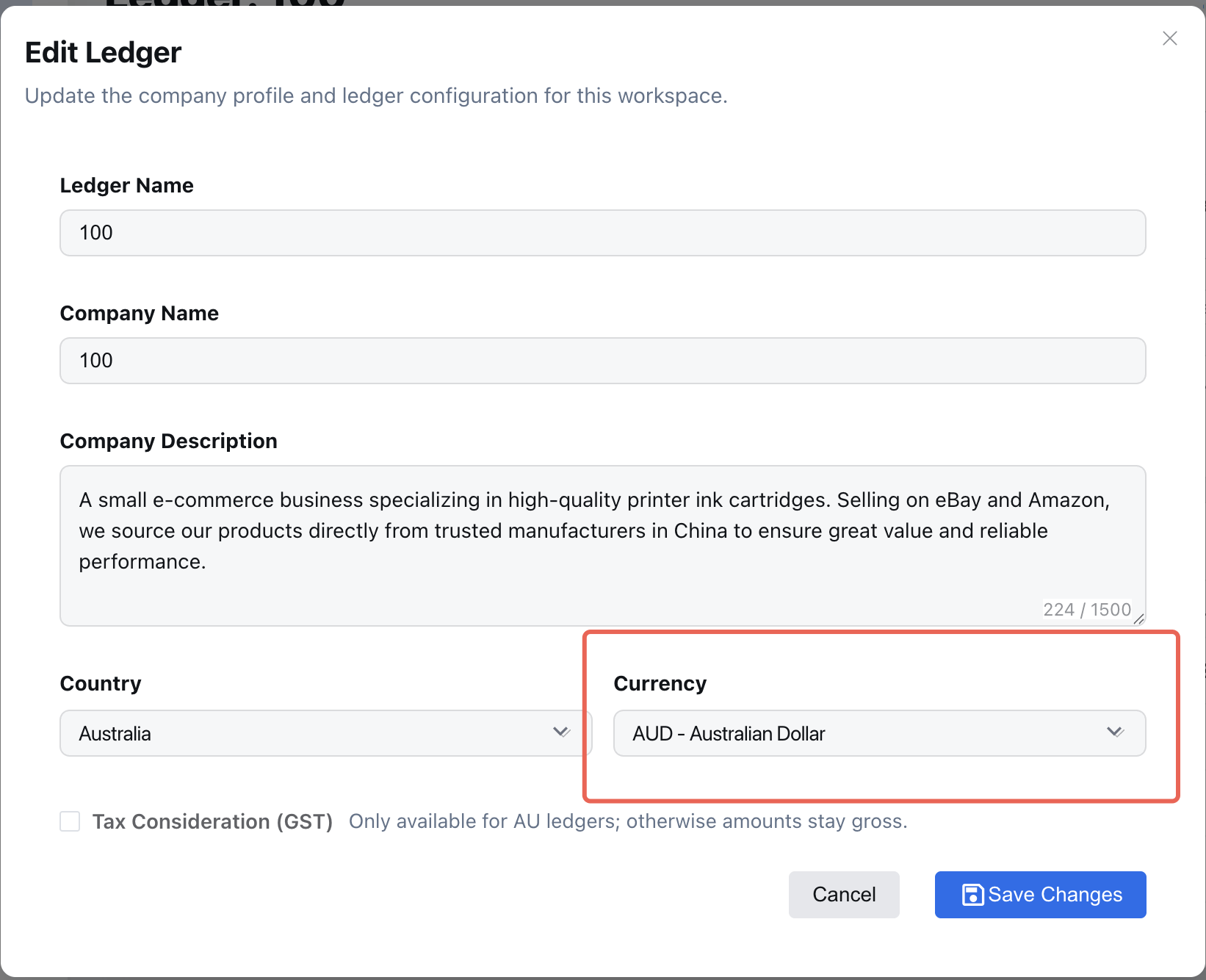
- Home (base) currency is set during workspace setup; admins can adjust it in Settings > Finance.
- Multi-currency is always on. No toggle or currency list to configure.
- FX rates come from BookiAI’s automatic feed; users do not pick a source.
- Ensure your role allows posting journal entries.
2. Post transactions in foreign currency
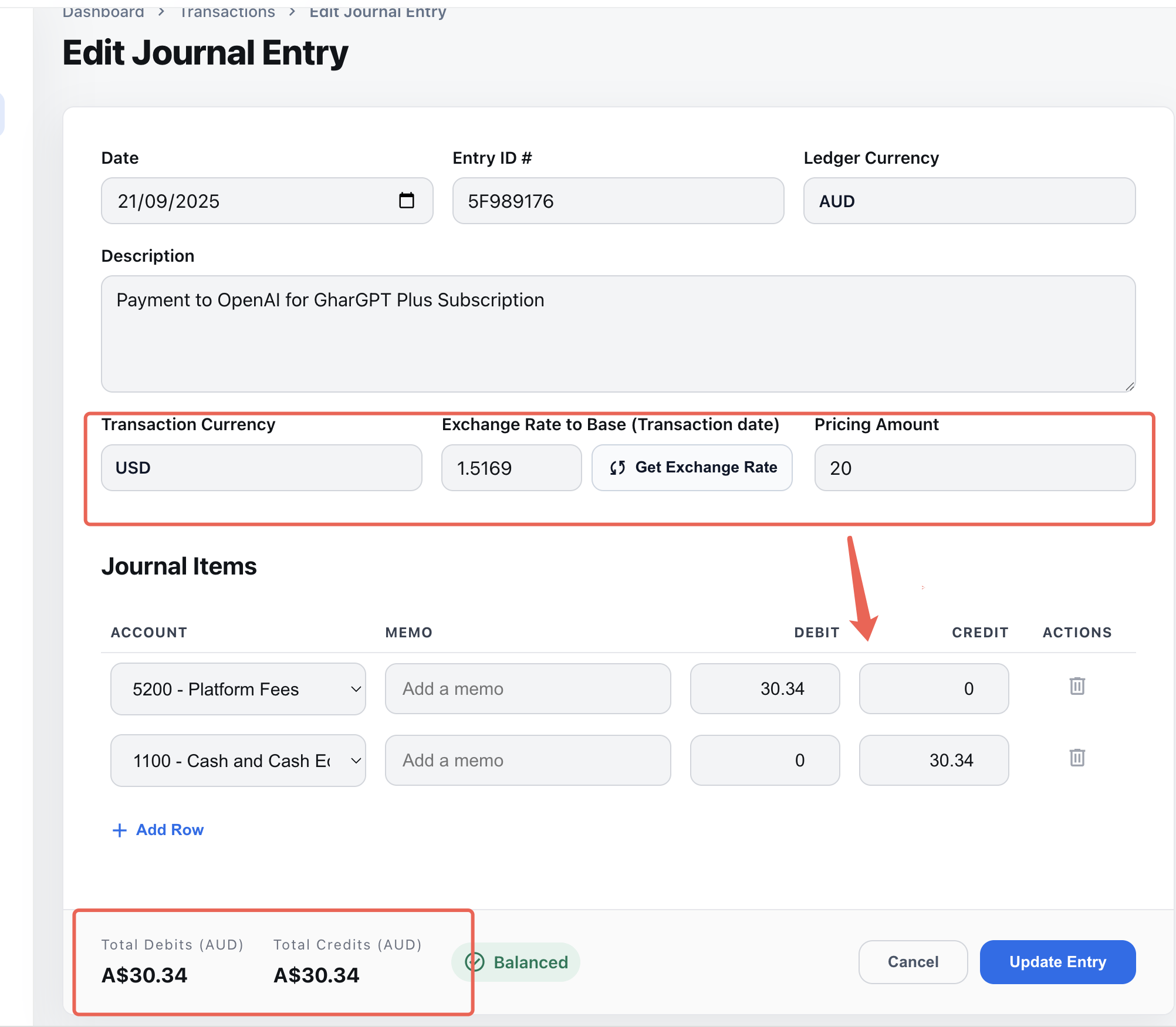
- In a journal entry, choose the transaction currency and enter the foreign amount.
- If the transaction currency differs from the base currency, BookiAI automatically converts using the ECB rate for the posting date (fetched on demand).
- Both transaction-currency and base-currency amounts are stored on the entry. Changing the posting date re-applies the ECB rate for that date.
- Add supporting files (invoice/contract) when you need reviewers to validate the currency and amount.
3. FX rate behavior
- BookiAI calls an open ECB interface at posting time; it does not maintain a daily stored rate table.
- Back-dated or future-dated entries fetch the ECB rate for the selected date when you post or re-date the entry.
- If you need to reflect a contract-specific rate difference, post an adjustment entry for the delta.
4. Reports and views
- Accounts Transactions and ledger dashboards show currency badges and home equivalents.
- Trial Balance and P&L remain in home currency; exports currently output base-currency amounts only (dual-currency export can be added later if needed).
- The AI journal assistant respects the chosen transaction currency and suggests accounts accordingly.
- Core principle: capture foreign-currency intent with audit trail, but settlements and reports stay in the base currency to keep books clean and compliant.