9.System Ledger & Billing
The system ledger is your billing home: see membership charges, add-ons, and invoices in one place.
Watch the walkthrough
Prefer the link? Open on YouTube.
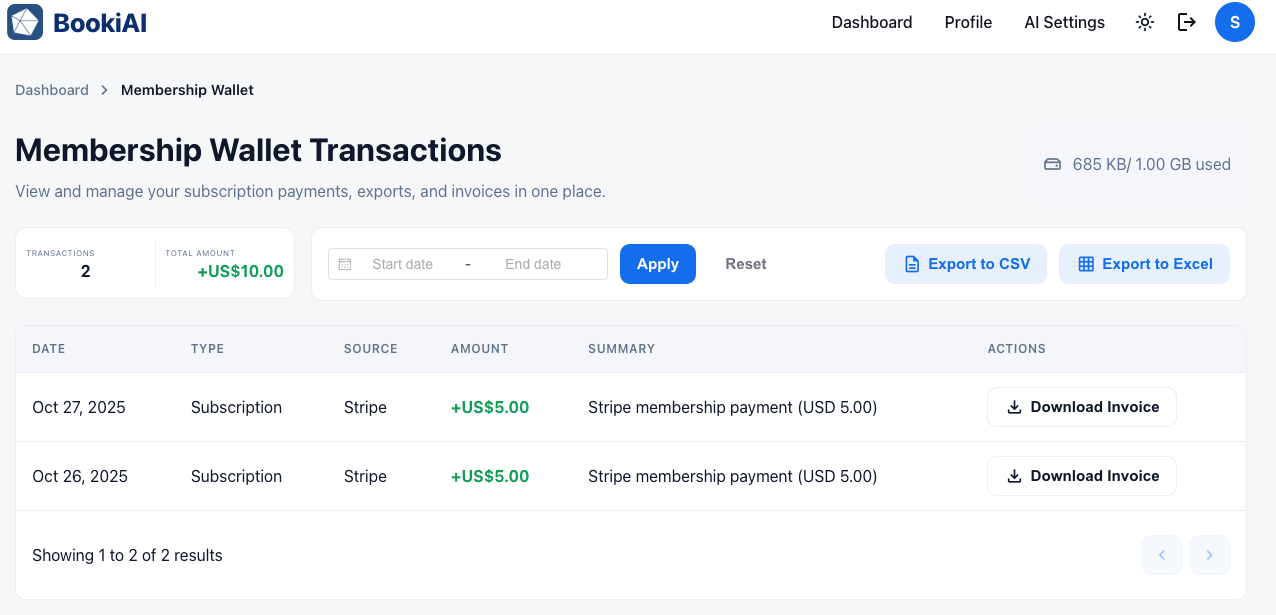
1. What this page is for
- Keep billing transparent: every membership charge, add-on purchase, and refund lives here.
- Download invoices or jump to the Stripe portal when you need to manage payment methods.
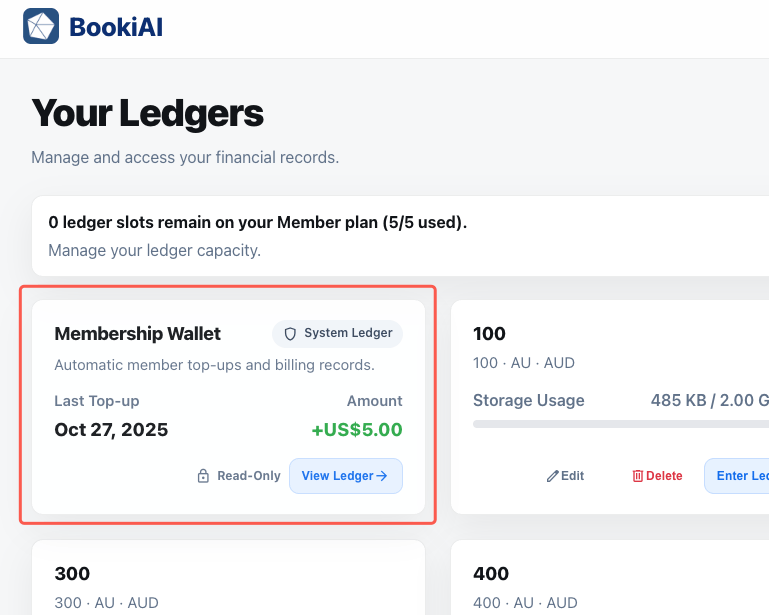
2. Ledger card overview
- Appears on the dashboard with a “System” badge to separate it from operational ledgers.
- Shows latest top-up, next scheduled charge, and current balance; includes a storage badge for billing files.
3. Transactions list
- Rows show date, reference, description, amount, and status (paid/refunded).
- Filter by charge type (membership, add-on, refund) to focus on what matters.
- Actions: download invoice, view payment method, or open the Stripe portal (when available).
4. Download invoices
- Click the invoice icon to download the PDF receipt for that charge.
- “Manage in Stripe portal” opens Stripe for card updates or portal actions.
- Missing a past receipt? Use the support link in the header to request one.
4. Next steps
- Use Accounts Transactions to see every ledger entry, including billing charges recorded as journal entries.