3.Creating Your First Ledger
Walkthrough for new users to create their first ledger, import accounts, and get ready for transactions.
Watch the walkthrough
Prefer the link? Open on YouTube.
1. Create a ledger
- Where: Dashboard → “Create ledger” (or “Add ledger” for members).
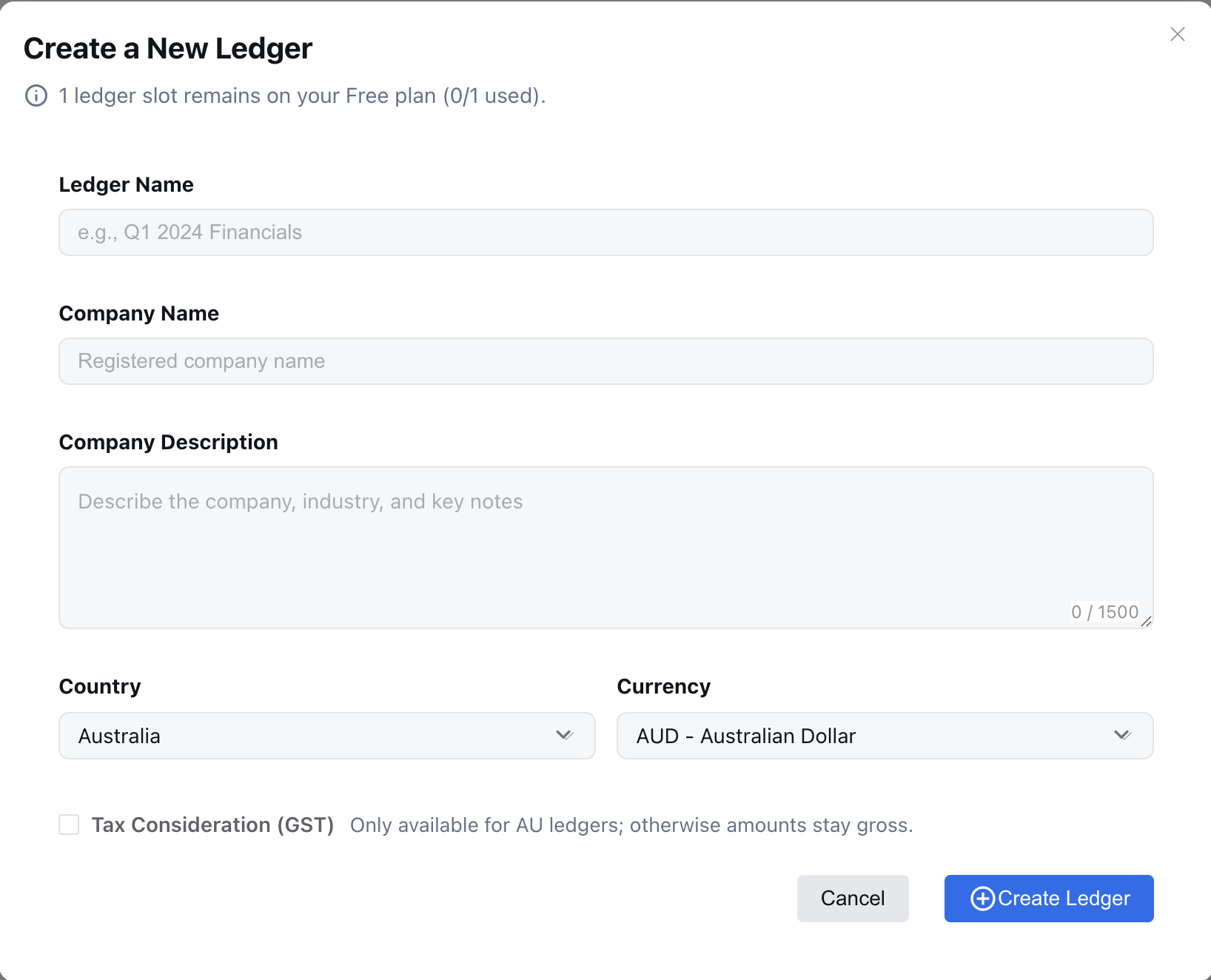
- Fields & defaults (from the create form):
- Ledger Name (required, ≥3 chars): e.g., “Q1 2024 Financials”.
- Company Name (required, ≥3 chars): legal/registered name.
- Company Description (optional, ≤1500 chars): describe business, industry, key products/services. This is sent to the AI to propose a tailored Chart of Accounts right after creation. Provide specifics (sector, revenue model, regions, GAAP/IFRS hints) for better suggestions.
- Country: currently
AU. - Currency: default
AUD; options include USD/EUR/GBP/CNY/JPY/NZD/SGD/CAD/HKD. - Tax Consideration (GST): available when Country = AU; check if you need GST breakdowns.
- Free vs member: Free has 1 ledger; members can create up to their slot limit.
- Screenshot:
2. AI suggestions after ledger creation
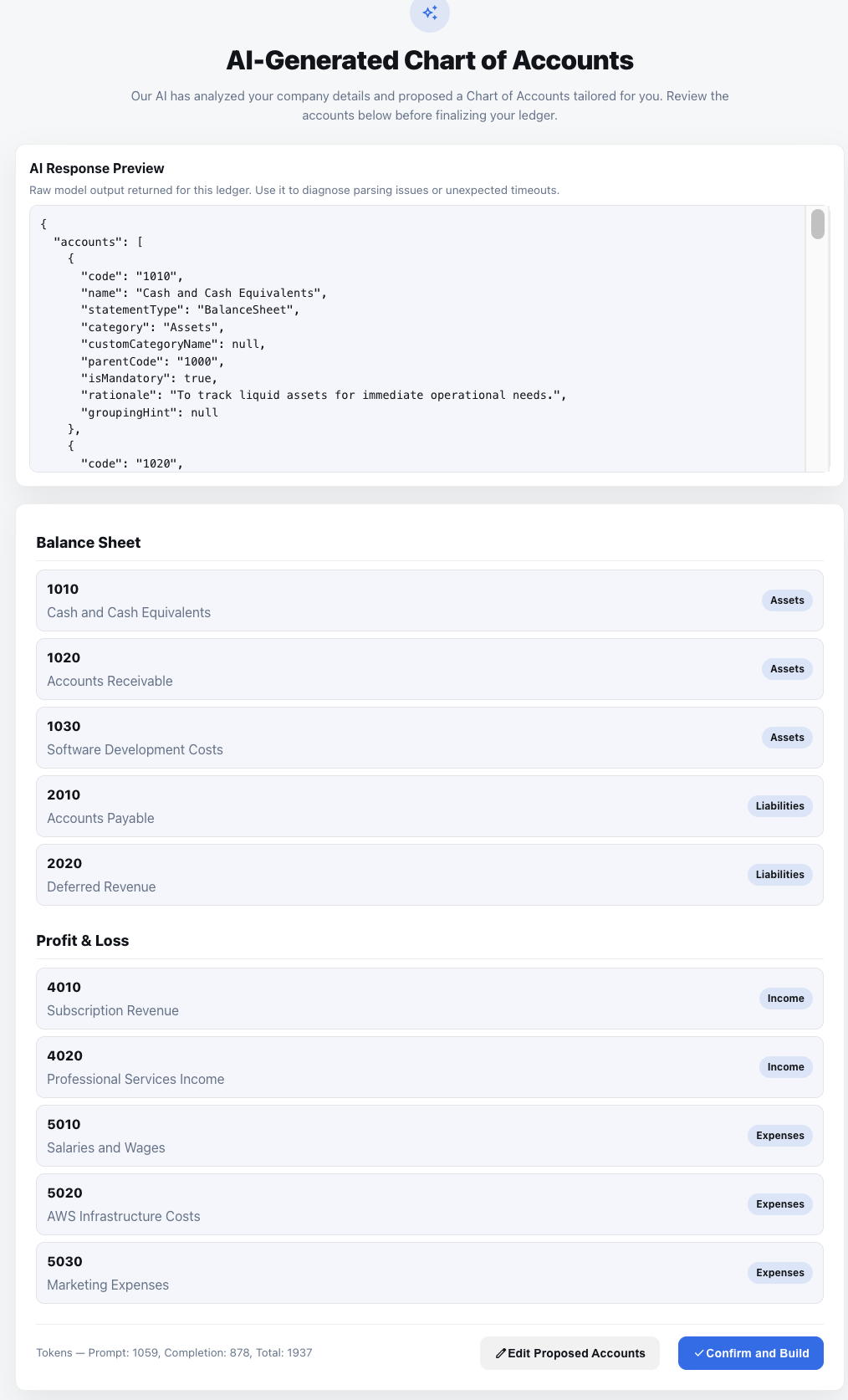
- After you finish the ledger setup, the system automatically posts the company description (and other profile/context information) to the AI assistant.
- The AI returns a proposed chart of accounts that you can review in the “AI Suggestions” panel; it honors the company description, complies with local rules, and uses the gap-friendly numbering you requested.
- Accept the proposal to populate the ledger; you can always edit or delete accounts afterward.
- Screenshot:
3. Next steps
- Post your first journal entry or upload source documents for AI-assisted entries.
- (Optional) Configure automations and alerts.
Example company description
“BookiAI delivers AI-assisted bookkeeping for Australian tech scaleups. We manage multi-entity finance operations for a SaaS business with recurring revenue, multiple payment channels, and a mix of USD/AUD customers. Key activities include software subscriptions, professional services, and AWS infrastructure costs. Compliance follows AASB/IFRS, and we track expenses by product line and region.”
Use this example as a template for the company description field so the AI can tailor Chart of Accounts suggestions—mention any vertical, revenue model, currency mix, or compliance rules that matter to you.
Next: Ledger Overview.