AI-Assisted Journal Entry
Let AI read your documents, pick accounts, and draft balanced entries. This section shows the flow and where screenshots belong.
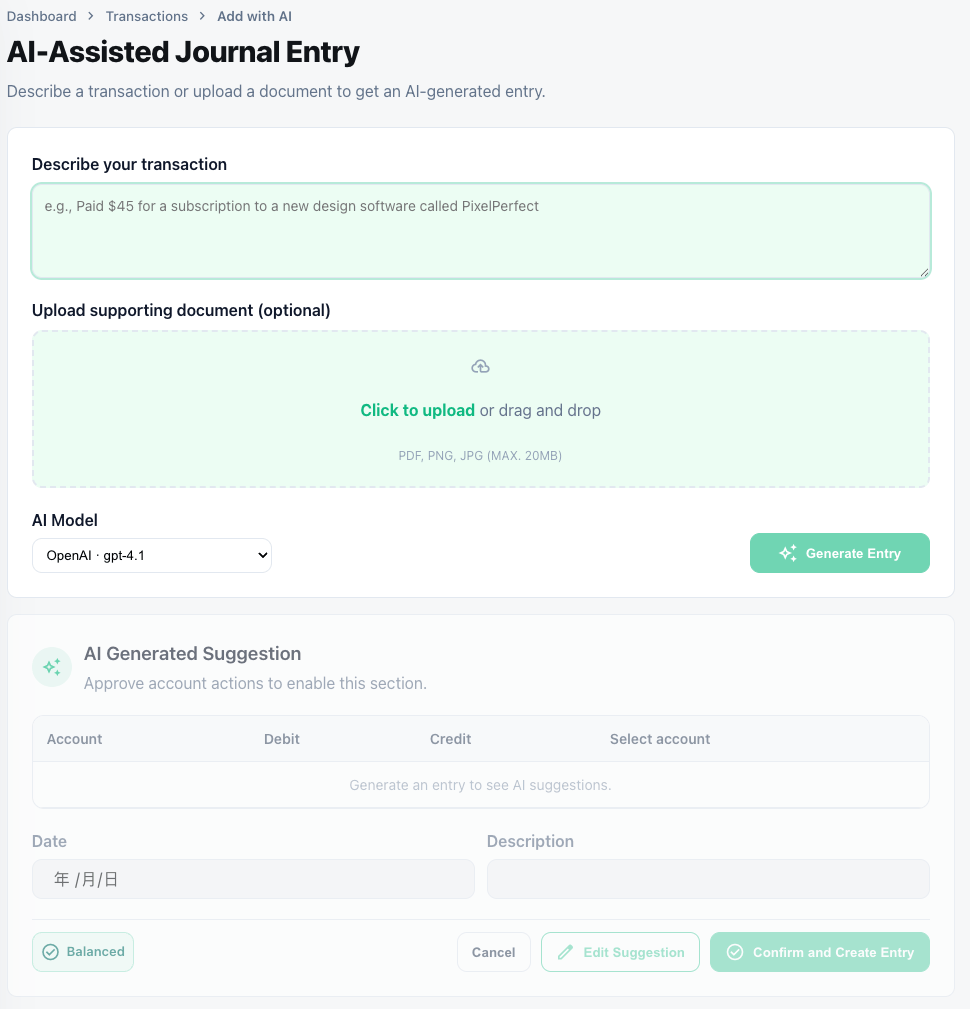
1. Upload documents
- Supported: JPG/PNG/PDF invoices, receipts, bills, bank statements.
- Use “Upload invoice/receipt” on the journal screen; you can attach multiple files.
- AI runs OCR, extracts supplier/date/amount/tax, and keeps files in the Attachments tab.
2. AI recognition & account selection
- AI maps extracted data to existing accounts; if missing, it suggests creating a new account with code/name/type.
- You approve or adjust the suggested account before it is added.
- A summary table shows extracted fields, proposed accounts, amounts, and rationale.
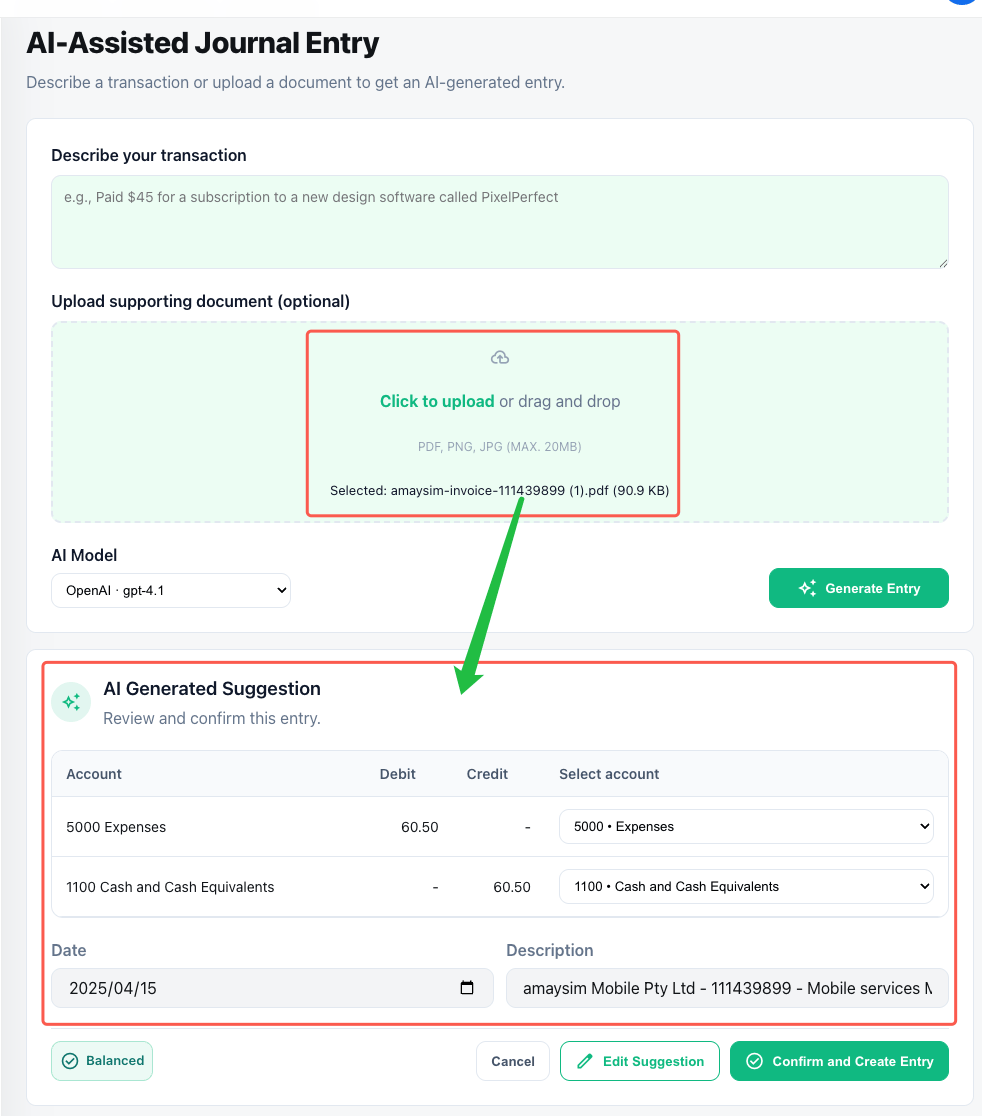
3. Guided entry creation
- AI pre-fills debit/credit lines; edit amounts, split lines, or add allocations.
- Attachments stay linked to each line for audit traceability.
- Use “Test recognition” to re-run OCR/LLM if the result needs improvement.
- Post the entry or save as Draft when ready.
4. Next steps
- Review created entries in Ledger Journal Entries.
- Adjust or expand your chart of accounts based on AI recommendations before processing more uploads.