Creating Your First Ledger
Walkthrough for new users to create their first ledger, import accounts, and get ready for transactions.
1. Create a ledger
- Where: Dashboard → “Create ledger” (or “Add ledger” for members).
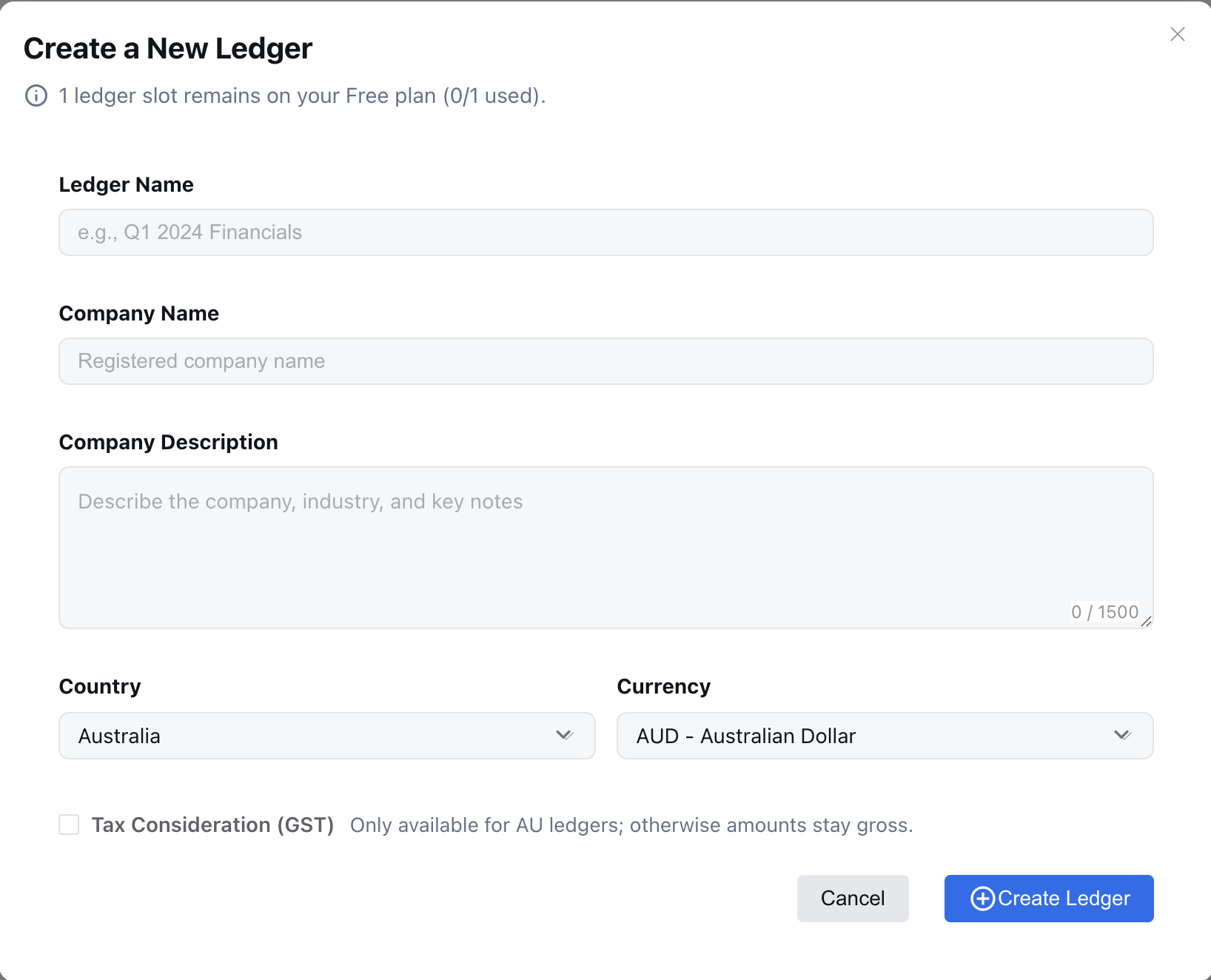
- Fields & defaults (from the create form):
- Ledger Name (required, ≥3 chars): e.g., “Q1 2024 Financials”.
- Company Name (required, ≥3 chars): legal/registered name.
- Company Description (optional, ≤1500 chars): describe business, industry, key products/services. This is sent to the AI to propose a tailored Chart of Accounts right after creation. Provide specifics (sector, revenue model, regions, GAAP/IFRS hints) for better suggestions.
- Country: currently
AU. - Currency: default
AUD; options include USD/EUR/GBP/CNY/JPY/NZD/SGD/CAD/HKD. - Tax Consideration (GST): available when Country = AU; check if you need GST breakdowns.
- Free vs member: Free has 1 ledger; members can create up to their slot limit.
- Screenshot:
2. AI suggestions after ledger creation
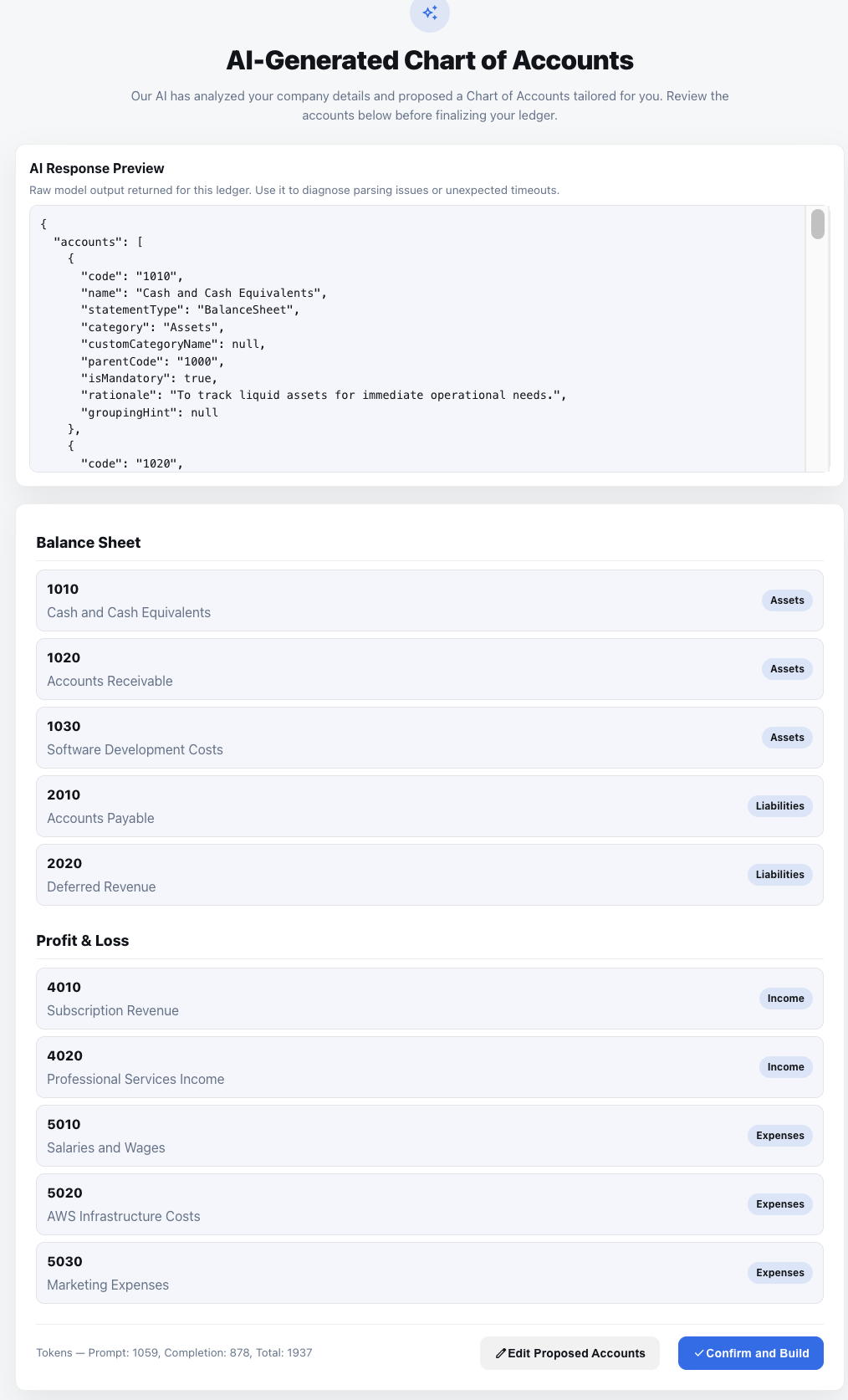
- After you finish the ledger setup, the system automatically posts the company description (and other profile/context information) to the AI assistant.
- The AI returns a proposed chart of accounts that you can review in the “AI Suggestions” panel; it honors the company description, complies with local rules, and uses the gap-friendly numbering you requested.
- Accept the proposal to populate the ledger; you can always edit or delete accounts afterward.
- Screenshot:
3. Next steps
- Post your first journal entry or upload source documents for AI-assisted entries.
- (Optional) Configure automations and alerts.
Example company description
“BookiAI delivers AI-assisted bookkeeping for Australian tech scaleups. We manage multi-entity finance operations for a SaaS business with recurring revenue, multiple payment channels, and a mix of USD/AUD customers. Key activities include software subscriptions, professional services, and AWS infrastructure costs. Compliance follows AASB/IFRS, and we track expenses by product line and region.”
Use this example as a template for the company description field so the AI can tailor Chart of Accounts suggestions—mention any vertical, revenue model, currency mix, or compliance rules that matter to you.
Next: Ledger Overview.